Audio and Video Fundamentals
Usually, a video is made of a sequence of images played continuously together with sound. To understand how video is built, we first need to understand the basics of sound and images.
Sound
Sound is, at its core, a wave. A waveform can be described accurately through parameters such as amplitude, frequency, and wavelength.
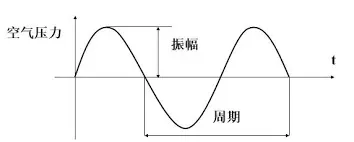
To digitize sound, three key parameters matter:
- Sample rate: the number of samples per second, commonly
44100 Hz. - Bit depth: the representation range of each sample value, commonly 16 bits, which can represent 65,536 levels.
- Channels: such as mono or stereo.
From this, the data size of one second of audio is roughly 44100 x 16 x 2 ~= 1411200 bit ~= 172 KB. A typical 3-minute-and-20-second song can be about 33 MB in raw form.
Images
In a computer, a complete image is represented digitally by a specific number of points. For example, a 720p image contains 720 x 1280 points. These points are what we usually call pixels, and each pixel corresponds to a color.
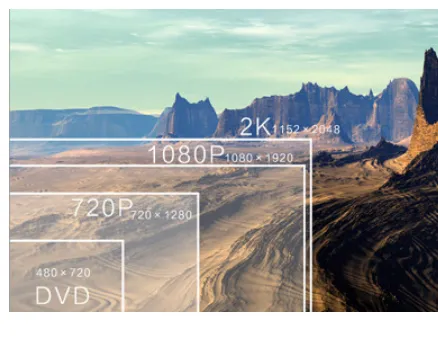
Computers commonly represent color in two ways:
- RGB: composed of the three primary colors red, green, and blue. Common formats include:
- RGB888: each channel uses 8 bits, for a total of 24 bits or 3 bytes.
- ARGB8888: adds an alpha channel, for a total of 32 bits or 4 bytes.
- RGB565: R uses 5 bits, G uses 6 bits, and B uses 5 bits, for a total of 16 bits or 2 bytes.
- YUV: composed of luma (Y) and chroma (UV). Human vision is more sensitive to luma and less sensitive to chroma, so UV can be downsampled with little impact on perceived quality:
- YUV444: every pixel contains complete Y, U, and V information. Four pixels contain four Y values, four U values, and four V values.
- YUV422: every two pixels share one UV pair. Four pixels contain four Y values, two U values, and two V values.
- YUV420: every four pixels share one UV pair. Four pixels contain four Y values, one U value, and one V value.
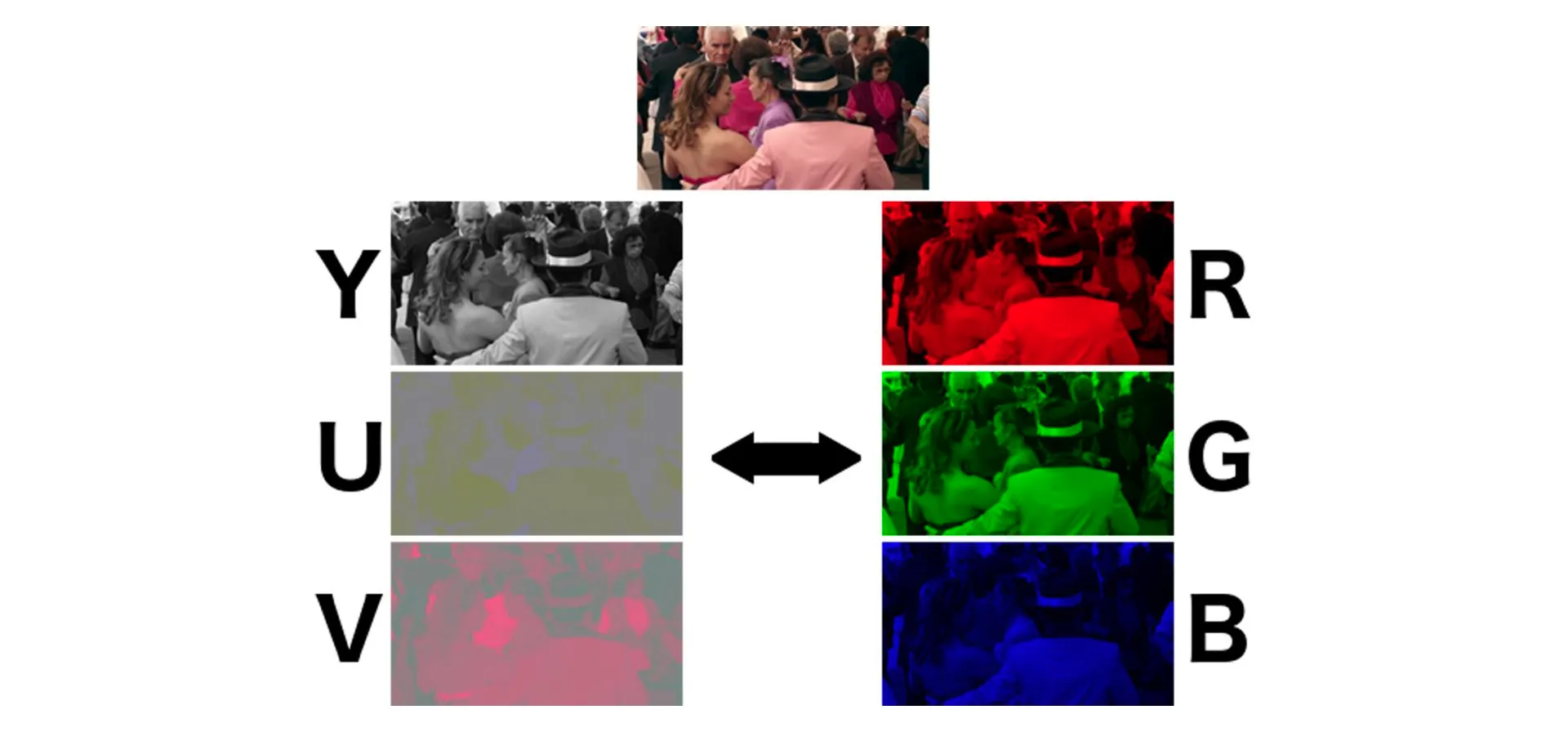
Now compare the size of the same 720p image in different formats:
- RGB888:
720 x 1280 x 24 ~= 22118400 bit ~= 2.63 MB. - YUV420:
(720 x 1280 / 4) x (4 x 8 + 8 + 8) ~= 11059200 bit ~= 1.32 MB.
Displays on the market, including phones and computers, show color by combining RGB light. But YUV is easier to compress and transmit than RGB, and YUV is also compatible with black-and-white images. As a result, video encoding primarily uses YUV formats. RGB and YUV can be converted to each other.
Video
According to persistence of vision, playing more than 20 images per second is generally enough for the human eye to perceive continuous motion. Video creates motion by playing images continuously at high frequency.

This introduces an important video property: frame rate, which means the number of image frames played per second. The following GIF demonstrates the visual effect of different frame rates. Video commonly uses 24 fps or 30 fps.

From this, the raw size of one minute of YUV420 video is roughly 1.32 MB x 30 x 60 ~= 2376 MB. That takes a huge amount of storage, and transmitting or playing it over the internet would be unacceptable. Therefore, video and audio need to be encoded and compressed.
The basic principles of video compression include spatial redundancy, temporal redundancy, coding redundancy, visual redundancy, and knowledge redundancy.
Video coding frame types include I-frames, P-frames, and B-frames.
Here are some common coding formats. Their main differences involve compression ratio, compatibility, encoding and decoding performance, and related tradeoffs. You can look up the details separately:
- Audio: WAV, AAC, MP3.
- Video: H.264, HEVC (H.265), VP9, AV1.
One very important concept here is bitrate. Bitrate is the amount of data per unit of time. Its unit is bps, or bits per second, and it is commonly expressed as kbps. Total video size is approximately bitrate multiplied by duration. In practice, bitrate is the most important factor affecting smooth video playback.
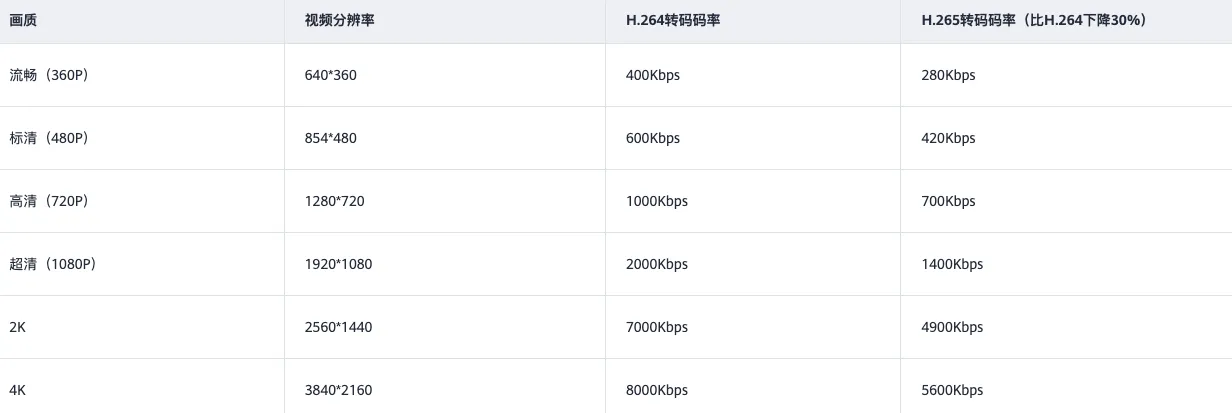
The raw video bitrate above is about 39,600 kbps, and the raw audio bitrate is about 1,411.2 kbps. During encoding, audio and video bitrate can be set separately and, in theory, to arbitrary values. But the lower the bitrate, the lower the clarity and fidelity. After the bitrate becomes high enough, increasing it further no longer improves clarity. The following reference chart shows recommended bitrates for common quality levels while maintaining smoothness and clarity.
Once you have a video stream, can you play it directly? The answer is no. Like other files, a video also needs metadata in addition to the raw video stream, such as duration, resolution, coding format, and author. It also needs a way to combine video streams, audio streams, subtitles, and other tracks. This part is called the video container format. Common examples include MP4, FLV, and MKV, usually reflected by the file extension.
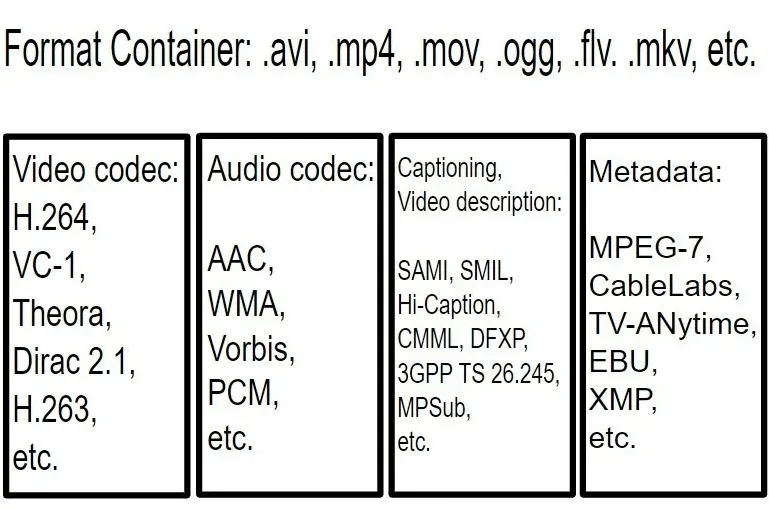
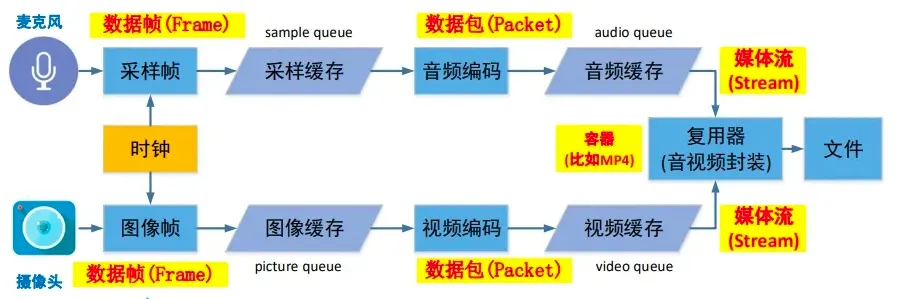
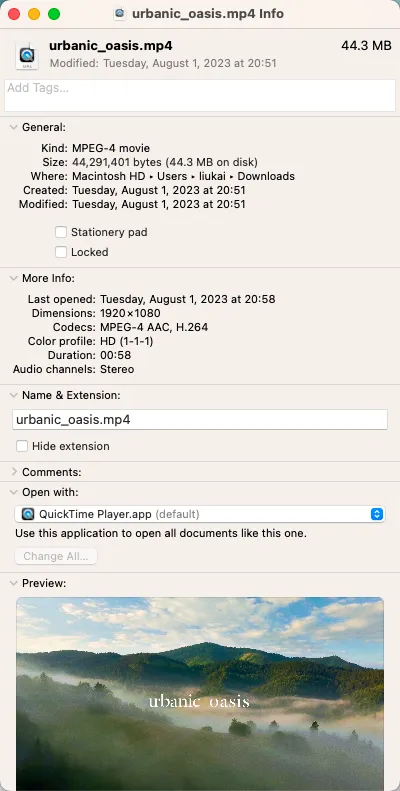
To summarize, common video properties include resolution, frame rate, bitrate, codec format, and container format. In the image below, the left side shows the complete video production workflow, and the right side shows an example of an online ESG video.
In summary, common ways to compress video files include the following. For an intuitive comparison, see Video Compare:
- Reduce resolution.
- Reduce frame rate.
- Reduce bitrate.
- Use a more advanced codec format.
The video playback workflow is basically the reverse of the production workflow above:
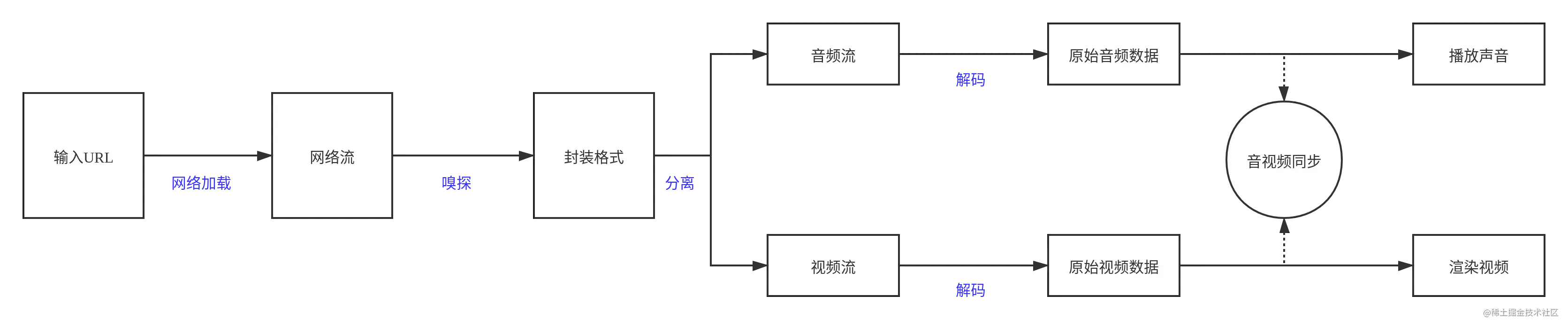
In addition to downloading a file and playing it locally, there are also streaming media solutions such as HLS, RTMP, and DASH. If you are interested, you can continue exploring those topics.
Common Tools
- FFmpeg: a powerful audio and video processing tool that supports encoding, decoding, format conversion, stream processing, and more.
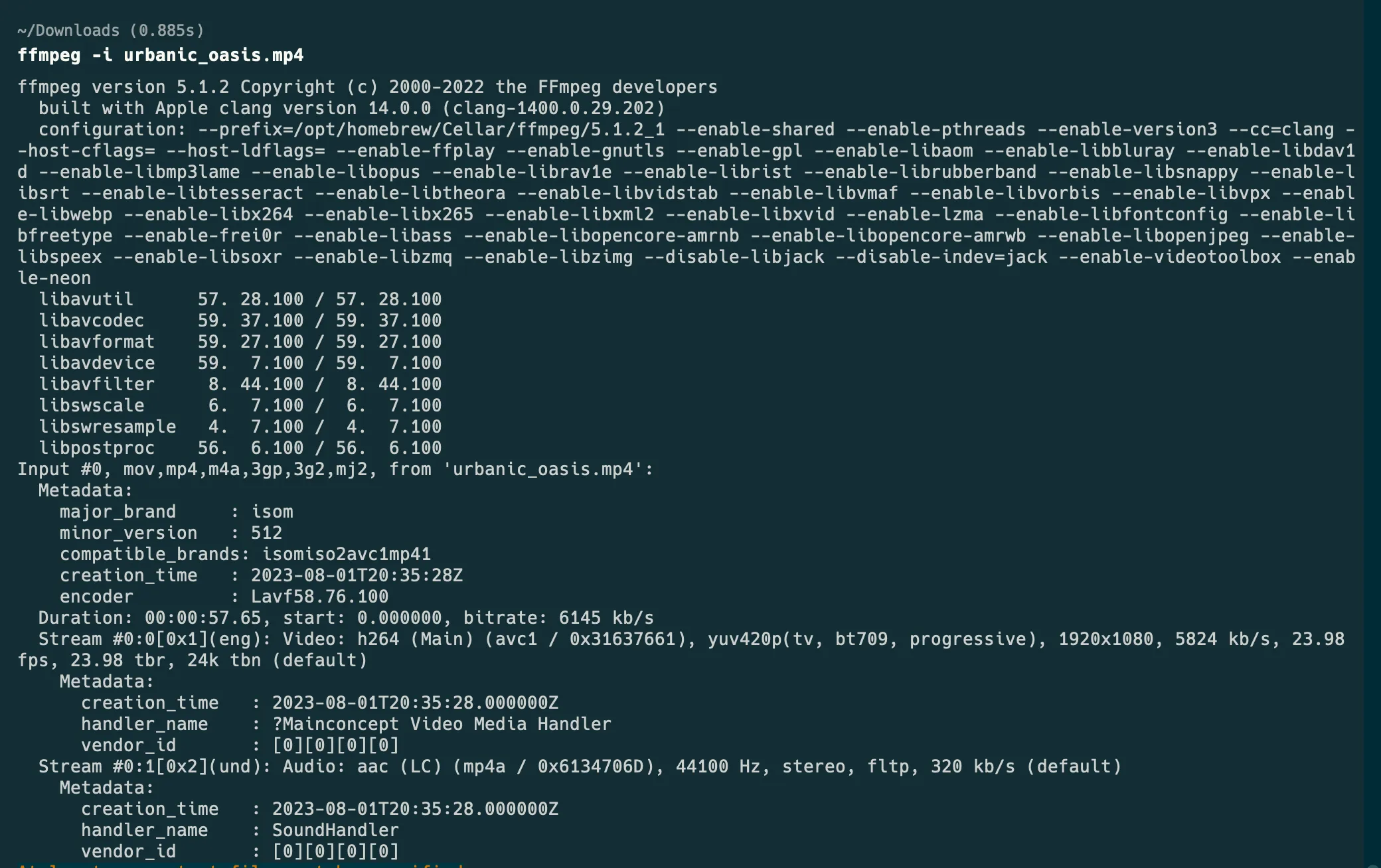
- VLC: an open-source, cross-platform multimedia player that supports a wide range of audio/video formats and network streaming protocols.